

Avoid Phishing Pages That Imitate 1xBet Mobile
About three out of four suspicious 1xBet login pages are reached through a link rather than the official application itself.
Fake pages copy the look of the app login screen closely enough to fool an attentive eye. They often appear in a browser tab instead of the installed application. Knowing the difference matters before you type anything at all.
Why fake 1xBet pages keep appearing
Phishing pages imitate the app login screen because that screen asks for your phone number and password together. Once a stranger has both, they can open your account and place bets without you noticing. The imitation is usually a browser page loaded from an unofficial link.
Real 1xBet access starts from the installed application icon or the official website address. The fake copies rely on you arriving through a message link instead. That single difference in arrival route is where most users go wrong.
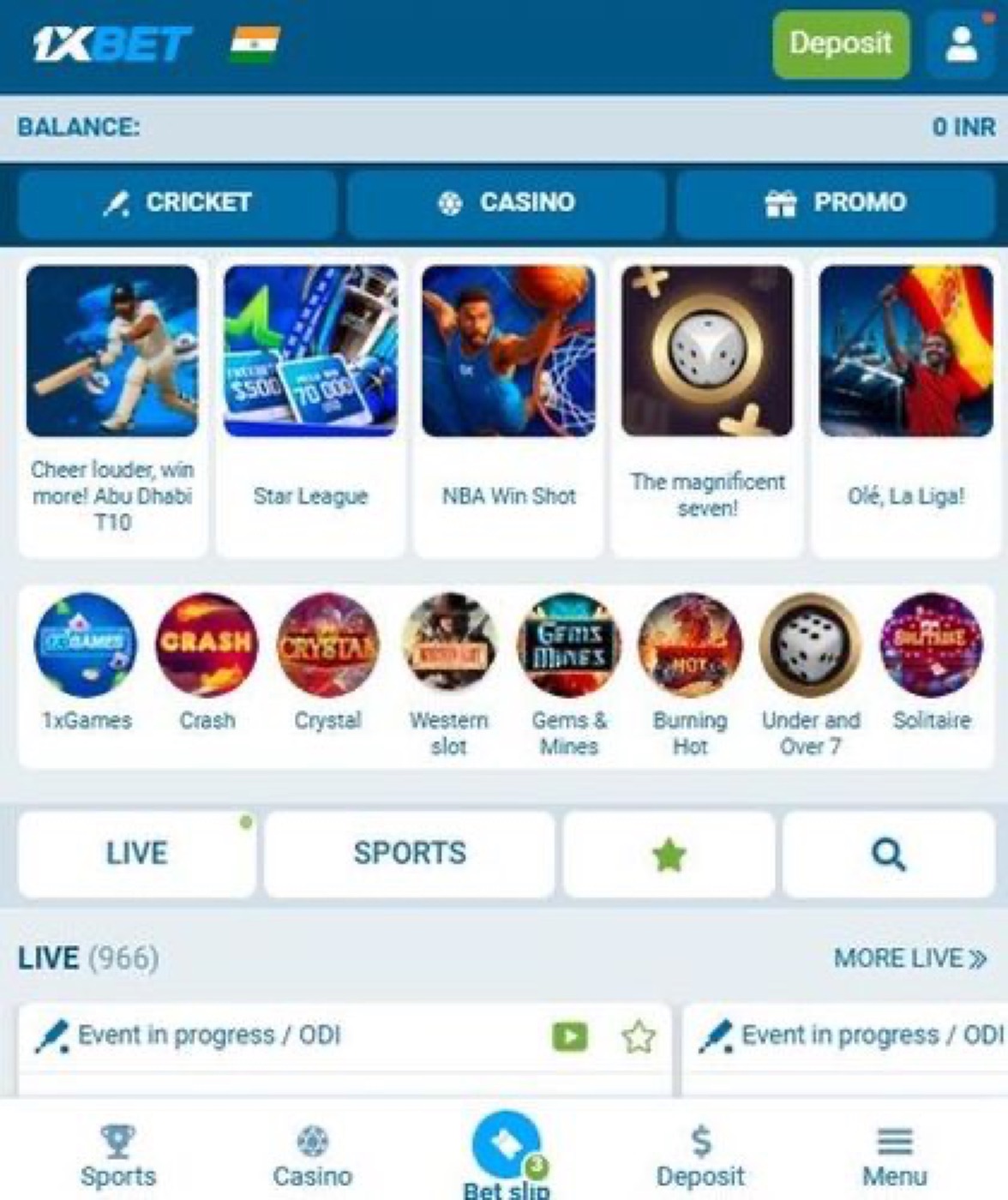
They also copy the green and white color scheme, the corner logo and the small menu icons. A rushed glance cannot tell the two apart. Slow down and check the address bar before you continue anywhere.
- Look at the address bar for a completely different domain from 1xBet.
- Check whether the page opens inside your installed application or a browser tab.
- Compare the menu layout with the one you see every day.
- Notice whether the login fields ask for unusual extra information.
What the real login screen looks like
Open the application and watch the login panel appear within the first second. The real screen shows two fields: one for your identifier and one for your password. Below them sits a single green button that completes the sign-in action.
A fake page usually adds a third field, often asking for a card number or a PIN. The real 1xBet application never asks for that during login. Another quick signal is the logo position, which stays fixed in the real application.
If the page loads in a browser tab instead of the installed application, stop immediately. Close the tab and open the application from your home screen instead. Four taps are usually enough to reach the genuine 1xBet login panel.
What to do right after you entered your details
Assume the worst for a moment. If you typed a password into a page you now doubt, change it without delay. Open the installed 1xBet application, go to your account settings, and use the password change option there.
Next, review the last few transactions on your account page. Check the history under your profile menu for any bet you did not place. A single unfamiliar accumulator entry is a sign that someone else has access.
Then, disconnect any active sessions. The 1xBet settings screen offers a way to end sessions you do not recognise. You will see the devices listed with their sign-in times, and you can end any entry in about three taps.
- Open the installed 1xBet application from your home screen.
- Go to your profile settings and change your password.
- Review your bet history for entries you did not make.
- End unfamiliar sessions from the active devices list.
One warning: never download a replacement application from a link inside a message. Always install updates through the channel you trust, for example by checking Chrome download warnings before you tap anything.

What to do right after you enter details on a fake page
A fake login page can record your password the moment you press the sign-in button. The page usually copies the 1xBet header, the blue buttons and the profile icon almost perfectly. Your browser stays on the page for a second or two, then shows an error or a blank screen. That small delay is the moment your password may already be stored on a stranger’s server.
Act within the first few minutes, because delay gives the attacker more time to move. Start by opening the real 1xBet application on your phone and checking the profile section. Then change the password from the settings menu, where the old and new fields appear side by side. Finally, review the recent login history shown under security to spot any session you do not recognise.
- Open the application and go to the profile icon in the top corner.
- Tap settings, then security, and choose change password.
- Type a fresh password that you have never used on any other site.
- Check the session list and end every device you do not recognise.
- Turn on the two-step verification switch, which sits on the third toggle.
How the real 1xBet login screen behaves
The genuine 1xBet login screen opens in about a second on a normal connection. The blue sign-in button responds immediately when you tap it, and the keyboard slides up without delay. Below the button you see the small “forgot password” link, which opens a recovery form in the same window. Fake pages often miss this link or place it in the wrong corner.
Another quick check is the notification shade during the login attempt. The real application shows a brief loading bar while it talks to the server, usually a few seconds long. Fake pages rarely produce this bar, because they only wait for you to type. If your 1xBet application does not show that short loading indicator, stop and verify the address bar before you continue.

Warning signs visible on a copied 1xBet page
Copied pages often carry small mistakes that a careful eye catches within seconds. Look at the address bar and count the characters in the domain name. Attackers like to add an extra letter or swap a capital B for a lowercase b. The 1xBet logo itself may look correct while the web address tells a different story.
Check the colour of the sign-in button as well. The real application uses one shade of blue across menus, bet slip and profile pages. Fake pages sometimes paint the button a slightly lighter or darker tone. Also watch the loading speed: a copied page may take an extra second to render the header.
Press the back button once. The real the application returns you to the previous menu without a blank screen. A fake page often jumps to an unrelated advert or shows a white rectangle for a moment.
- Domain name contains an extra letter or a missing capital.
- Sign-in button colour differs from the shade used in the application.
- Header loads slowly, taking more than two seconds to appear.
- Back button leaves a blank screen instead of the previous menu.

Extra checks before you trust a 1xBet login page
| Check | Real 1xBet page | Fake page |
|---|---|---|
| Address bar | Official domain | Extra letter or swapped capital |
| Login fields | Two fields only | Adds a card or PIN field |
| Loading bar | Visible briefly | Often missing |
Before typing anything, compare the page with the one inside your installed application. Open the profile section and tap the help icon, which opens the official support chat. Read the first message that appears, then switch back to the suspicious page and compare the wording line by line. Attackers rarely copy these small text blocks exactly.
You can also look at the keyboard behaviour. The real 1xBet login screen activates the numeric keypad when you tap the phone field. A copied page may open the full letter keyboard instead, because it uses a plain text box. Another quick test is to tap the “remember me” checkbox; the genuine screen shows a blue tick, while many fakes show nothing at all.
Installing the official application gives you a clean starting point. The package installer prompt appears after you open the file in the Files app, and the download entry shows up in the notification shade. The whole process takes a minute or two on Wi-Fi. You can get the 1xbet android betting app download from the link above, then sign in from the profile menu.